
Website pages
Add your website address
Type your site's address and tick the pages you want in the list of pages we find. The assistant reads them and answers from them: products, delivery, returns.
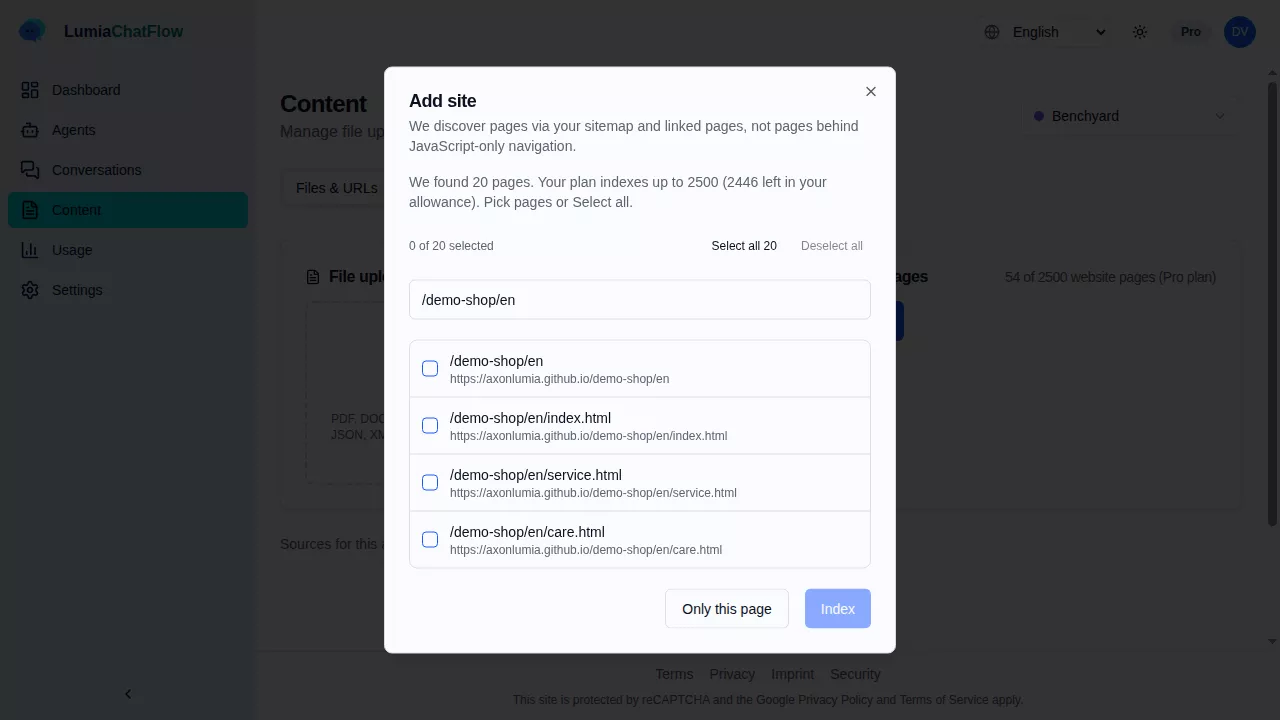
Your AI assistant learns from your website and your documents and answers your visitors. Each feature below has a screenshot from the product and two lines on what it does.
Website pages
Type your site's address and tick the pages you want in the list of pages we find. The assistant reads them and answers from them: products, delivery, returns.
Documents
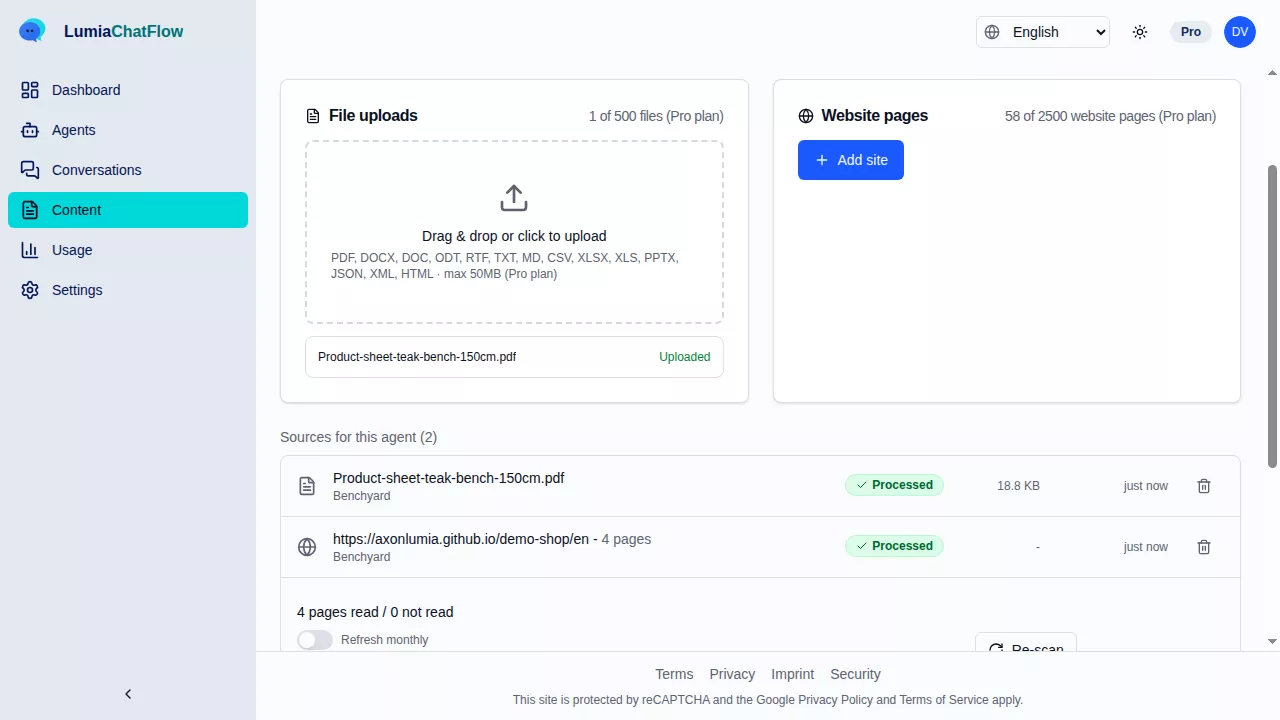
Upload product sheets, price lists or guides as PDF, Word, Excel and other files. The assistant answers from them as well as from your pages.
Install
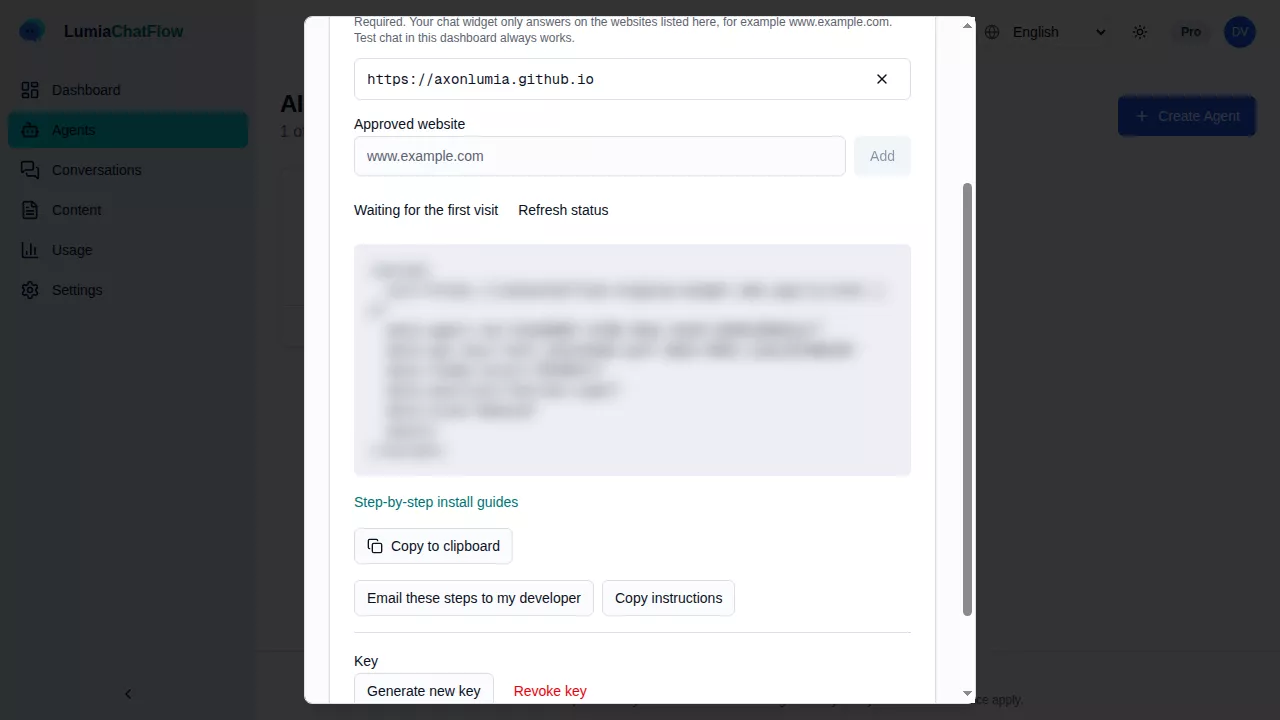
It works on any website where you can add a script. The install guide has steps for WordPress, WooCommerce, Shopify, Lightspeed, CCV Shop, Gomag and MerchantPro.
Languages
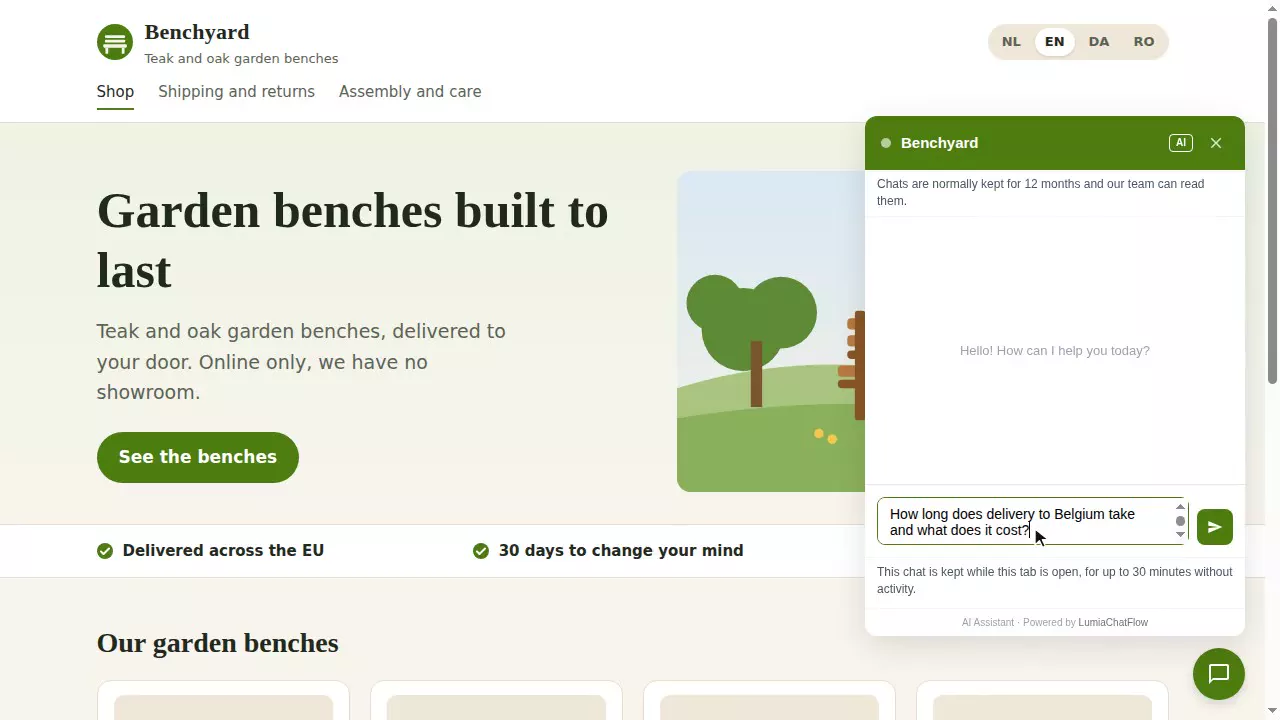
By default the assistant replies in the language your visitor writes in. The chat's own buttons and notices are available in English, Romanian, Dutch and Danish.
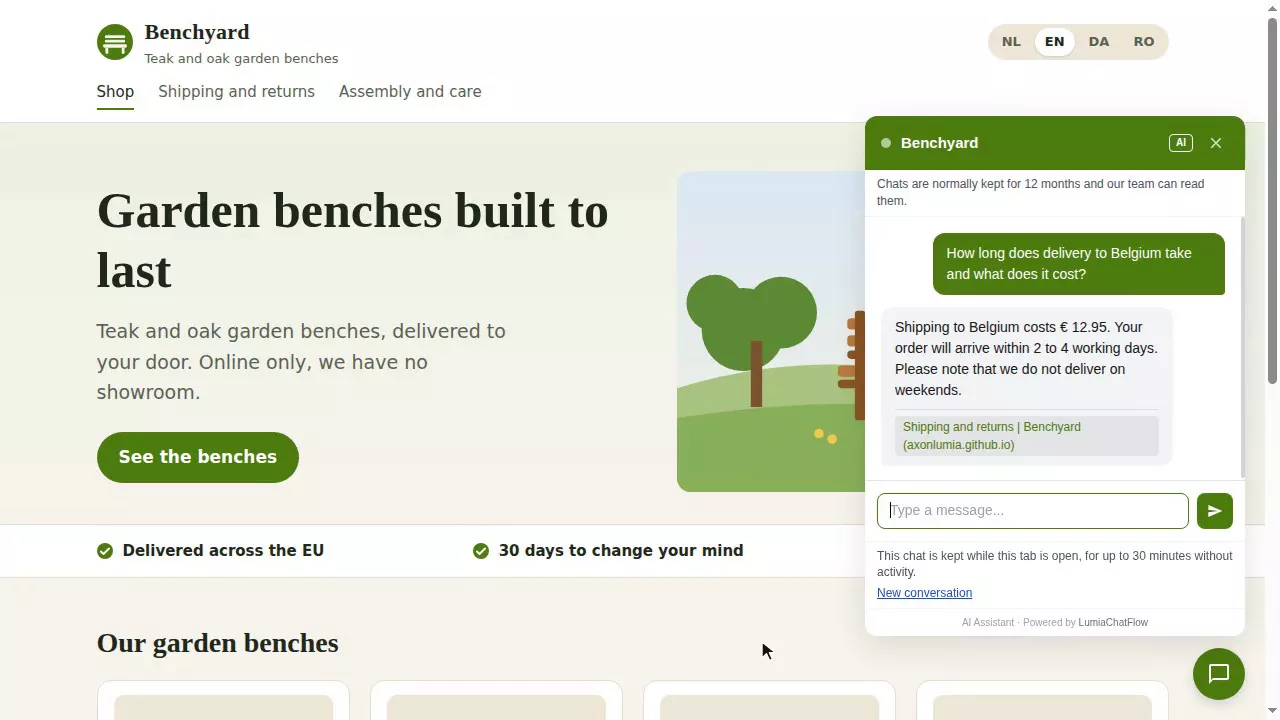
Source links
Answers can link to the pages they came from, so visitors can check the details. Turn it off per assistant.
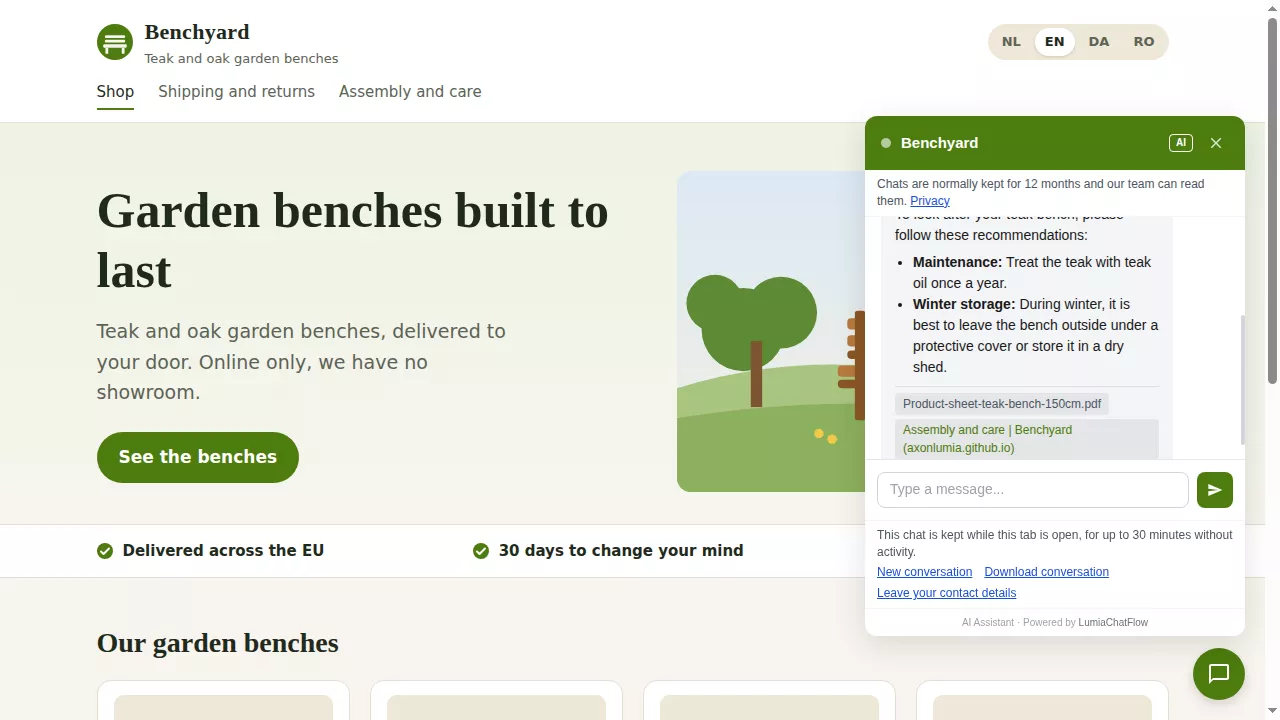
AI label
Every conversation shows an "AI" badge in the chat header and the words "AI Assistant" at the bottom. No setting in the dashboard or in the code you copy can remove them.
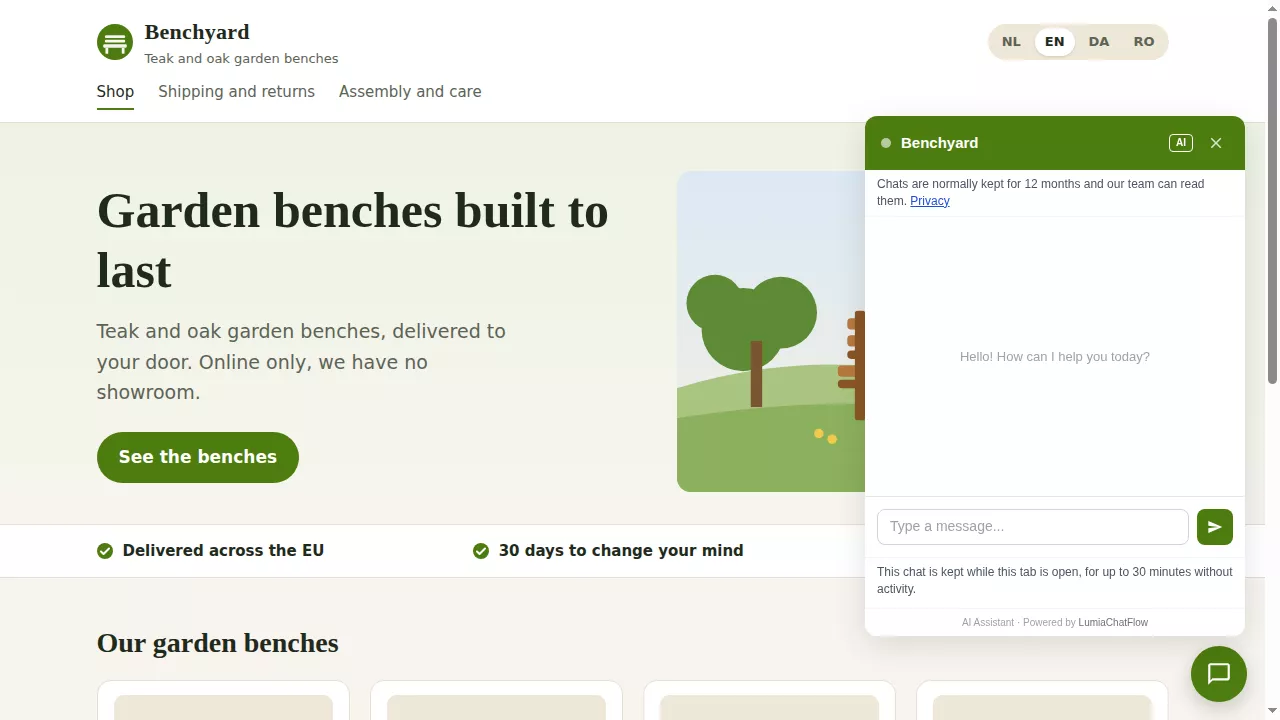
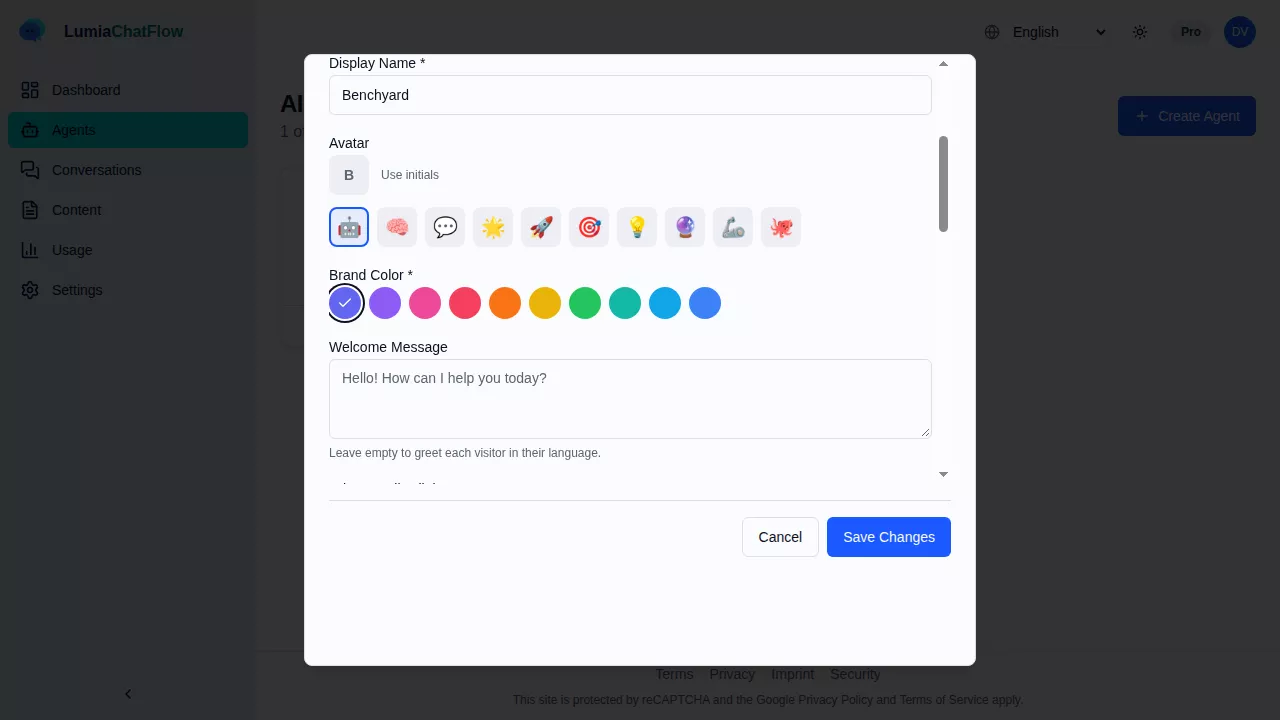
Appearance
Set the name visitors see, the welcome message and an avatar. Pick the colour, position and size of the chat when you copy the code.
Conversations
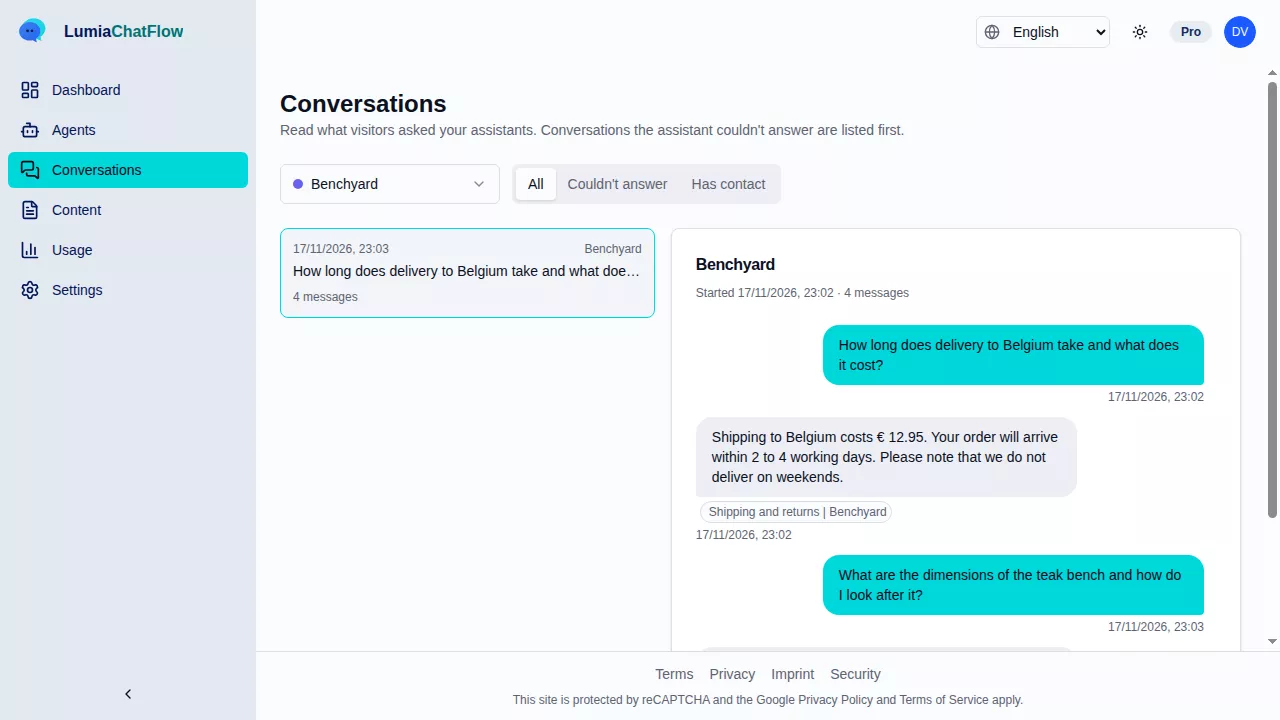
Every conversation is in your dashboard, with the visitor's questions and the answers the assistant gave. Only the owners and admins of your workspace can read them.
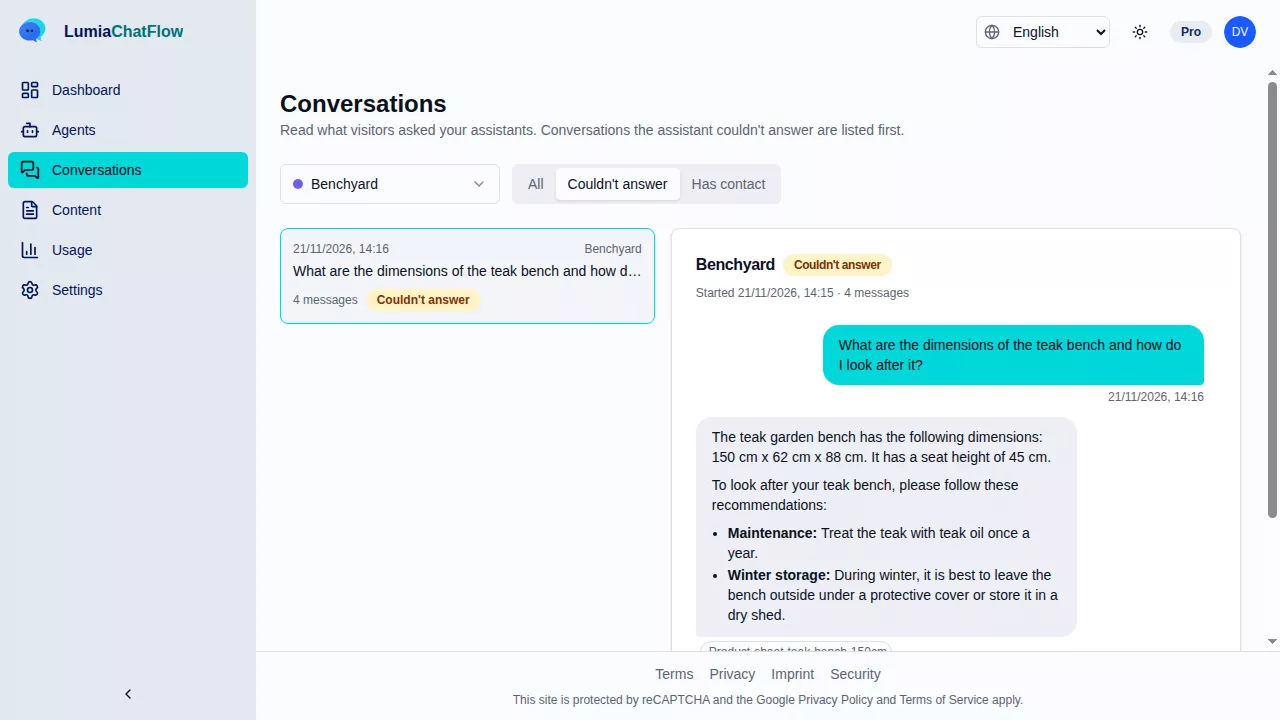
Unanswered questions
The "Couldn't answer" filter in Conversations lists the questions the assistant had no answer for. From there you can add the missing answer in a few words.
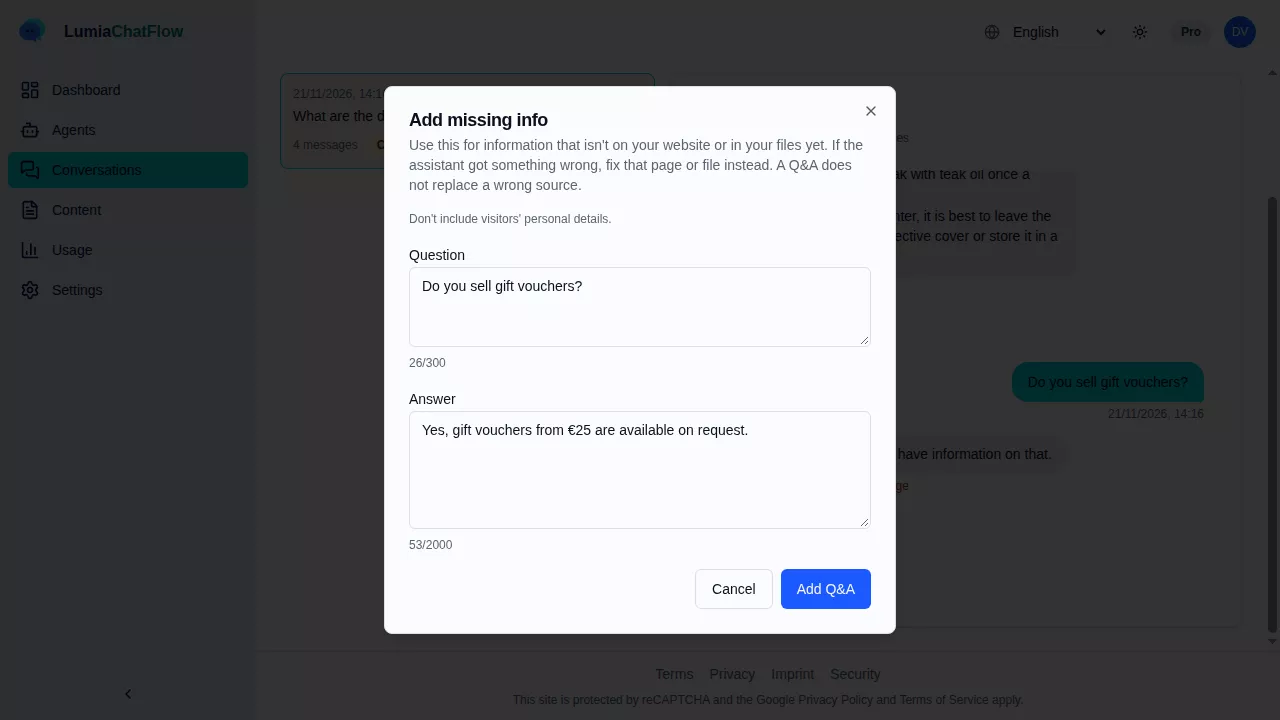
Q&A answers
Write a question and its answer in your own words, for anything your site and files do not cover yet. Once it shows Ready, the assistant uses it, on every plan.
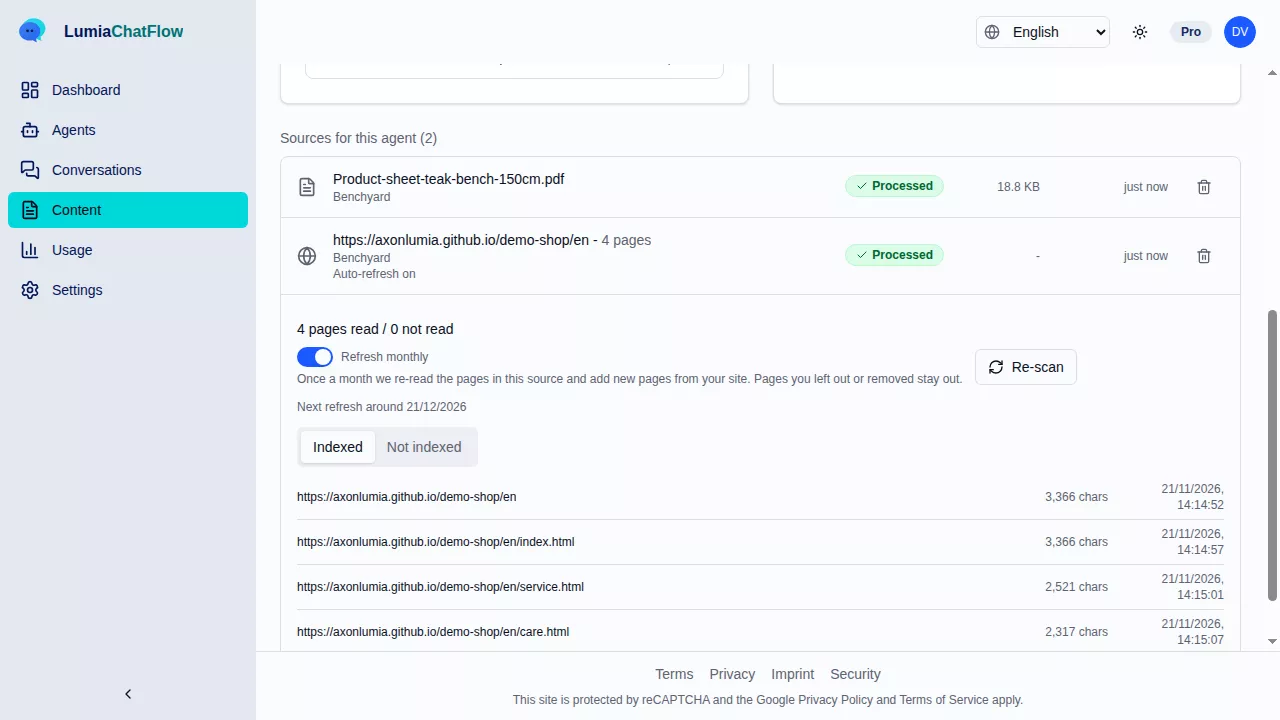
Monthly refresh
On paid plans you can turn on a monthly refresh per website, and the assistant re-reads your pages every month. On every plan, Free included, you can re-scan by hand.
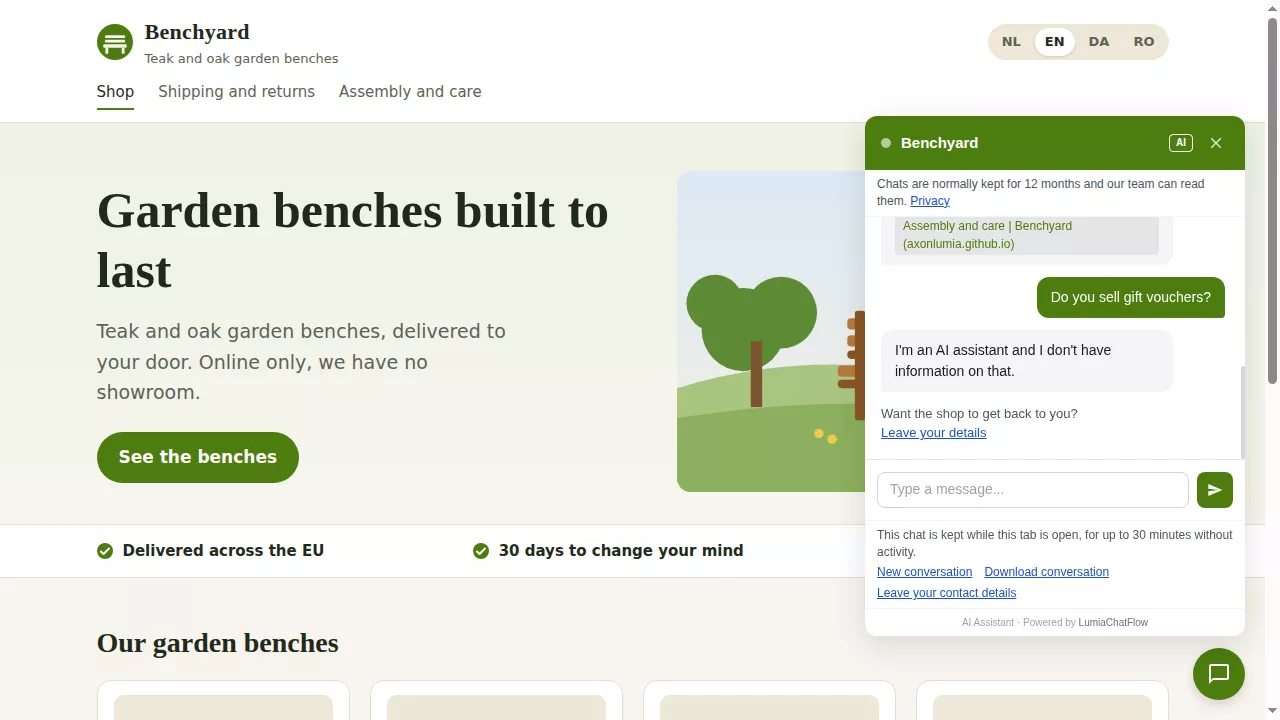
When your content has no answer, the assistant says so and can ask the visitor for contact details. A person cannot take over a chat live: you reply to the visitor yourself, by email or phone. The assistant does not take bookings or look up orders.
Contact details
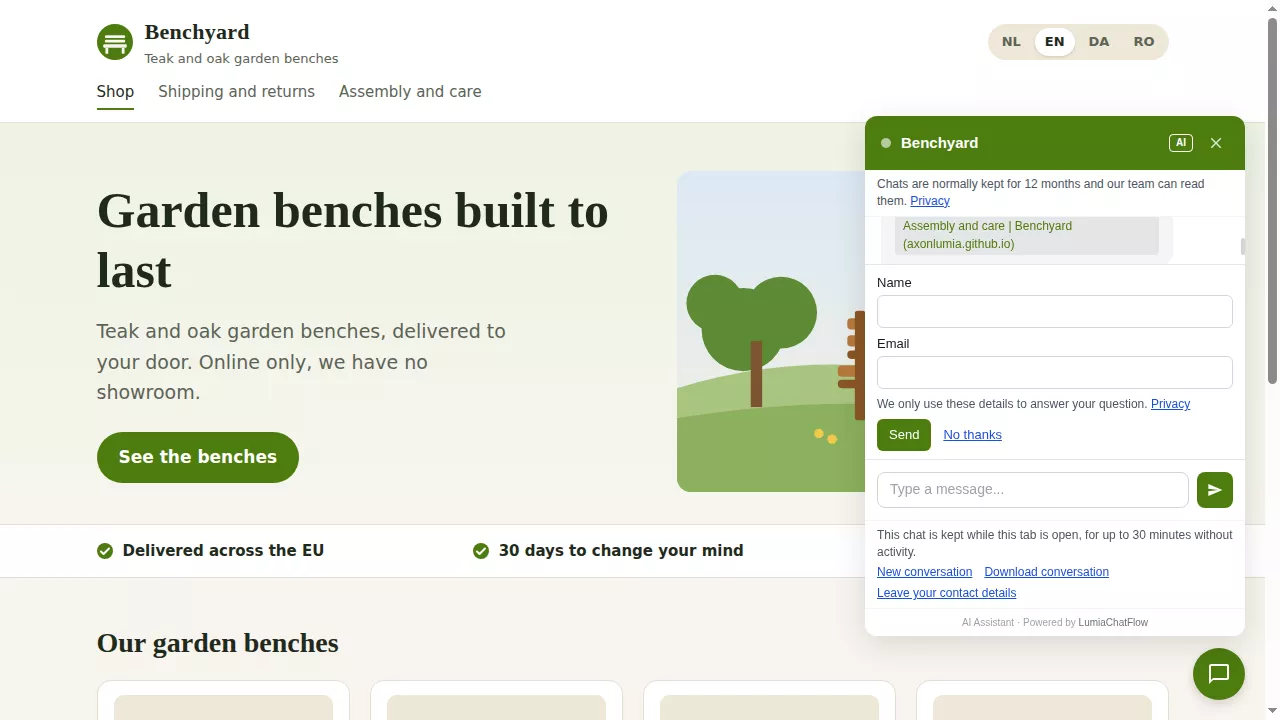
If you turn it on, the chat offers a form for a name and an email or phone number when the assistant has no answer. The details appear in Conversations, and an email alert, on by default, tells you when someone leaves them, up to a daily limit.
Saved chat
The conversation stays while the visitor moves between your pages in the same tab, and is cleared after a period without activity. If you allow it, the visitor can download it as a text file.
Approved websites
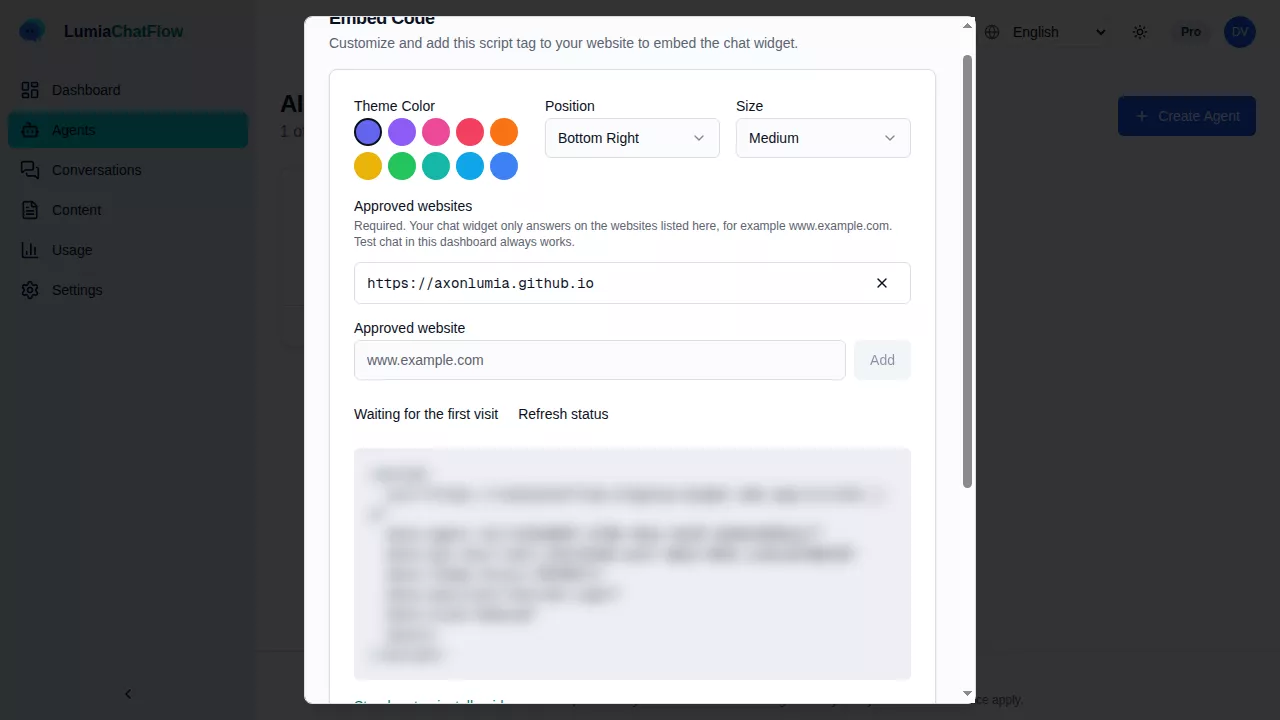
The chat answers only on the websites you approve; on any other site the chat button does not appear. A daily credit limit stops one day's traffic from using up your monthly credits.
How it worksAbout the daily limit
Team
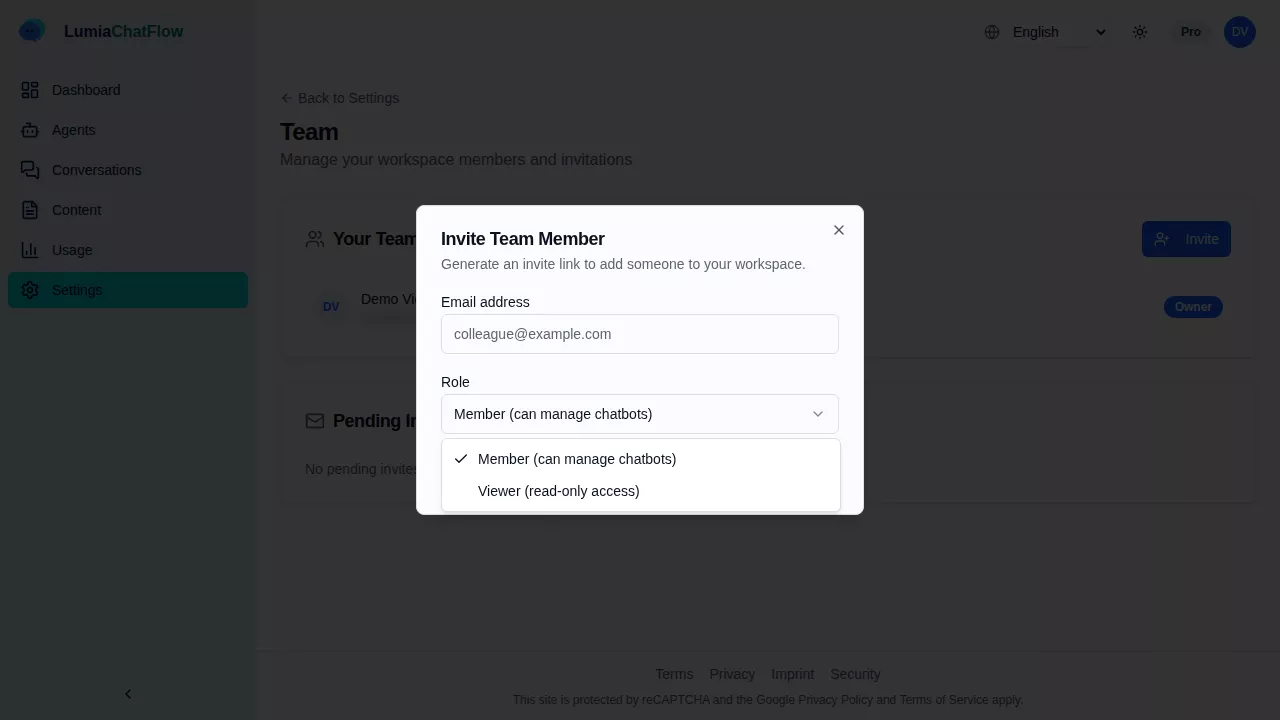
Invite colleagues as members, who manage the assistants, or as viewers, who have read-only access. Inviting needs a paid plan: Starter includes 2 team members and Pro 5 team members, counting you.
Most vendors tell you they take security seriously. We would rather tell you exactly where your content is stored, who processes it, and what we will never do with it.
Files you upload are encrypted in transit and at rest, then encrypted a second time with an AES-256 key unique to your account, held wrapped in Google Cloud KMS and never stored alongside your data. Erase your account and we delete your data and its encryption keys, and we purge the search index built from your content. Copies inside backup retention windows become unreadable once those windows expire.
Your account, your workspace and your conversation records are stored in Google Cloud's Belgium region and encrypted at rest by Google Cloud; files you upload also get a per-account key, wrapped by Google Cloud KMS. The AI layer is different, and we would rather say so than let you assume otherwise: the search index built from your content is stored on Google's Gemini API infrastructure, and each reply is generated there too. Neither carries a regional guarantee, so that content may live and be processed outside the EU.
We do not train or fine-tune models on your data. We use Google's Gemini API on paid terms, under which Google commits not to use the prompts, files or responses we send it to improve its models. This is a contractual commitment, not just a policy of ours.
Every claim here is backed by a document you can read before you sign anything: who processes your data, what we do with it, and how to report a vulnerability. Sub-processors, DPA, Privacy and Security.
No credit card required. Free plan includes 200 credits.
It answers from your website pages, your uploaded files and your Q&A answers, and it is instructed to use nothing else. It is still an AI and can get a detail wrong, so answers can show the pages they came from for you and your visitors to check.
When your content has no answer, the assistant says so and can ask the visitor for contact details. The question shows up under Couldn't answer in Conversations, where you can add the missing answer.
No. A person cannot take over a chat live. If you turn on "Ask visitors for contact details", the visitor can leave a name and an email or phone number. You find them in Conversations, with an email alert if you keep it on, and contact the visitor yourself.
Yes. Every conversation shows an "AI" badge in the chat header and the words "AI Assistant" at the bottom, and no setting removes them.
Your account, your workspace and your conversation records are stored in Google Cloud's Belgium region. The search index built from your content is stored on Google's Gemini API infrastructure, and each reply is generated there too. Neither carries a regional guarantee, so that content may live and be processed outside the EU.
By default the assistant replies in the language your visitor writes in. The chat's own texts, such as buttons and notices, are in English, Romanian, Dutch and Danish, picked from your page's language or the visitor's browser.
Any website where you can add a script to the pages. The install guide has steps for plain HTML, WordPress, WooCommerce, Shopify, Lightspeed, CCV Shop, Gomag and MerchantPro.
The Free plan includes 200 credits a month, 25 website pages, 5 files and 25 Q&A entries, with no credit card. Contact details, source links and the AI label work on every plan; monthly automatic refresh and inviting colleagues need a paid plan. See Pricing for each plan's limits.
Put an AI assistant on your website today. Start free, no credit card required.